
How to set up Mercado Pago
In just a few steps, we'll set up your Mercado Pago account so you can get paid for your orders quickly and securely.
September 14, 2021

Mercado Pago settings page
In just a few steps, we'll set up your Mercado Pago account. To do so, log in to your store at my.agrojusto.com.ar, then go to My Store > Settings > Payment Methods.
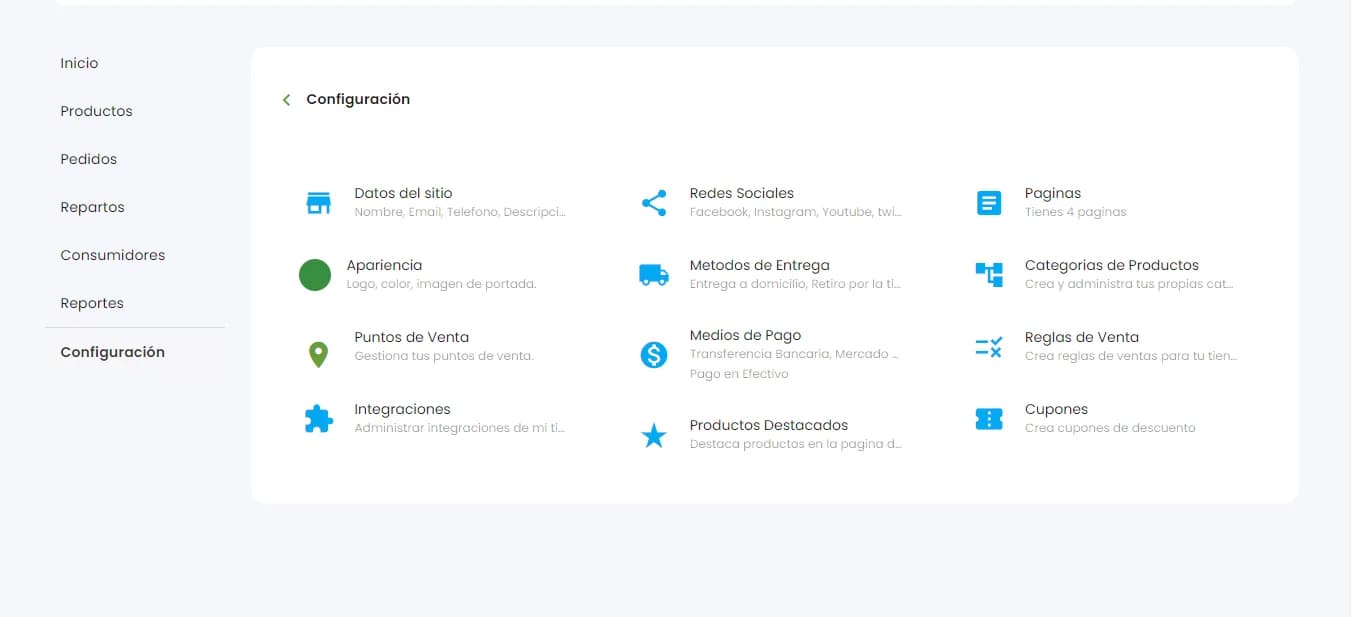
Once you're in the Payment Methods settings, select the Mercado Pago option and “Activate” it:
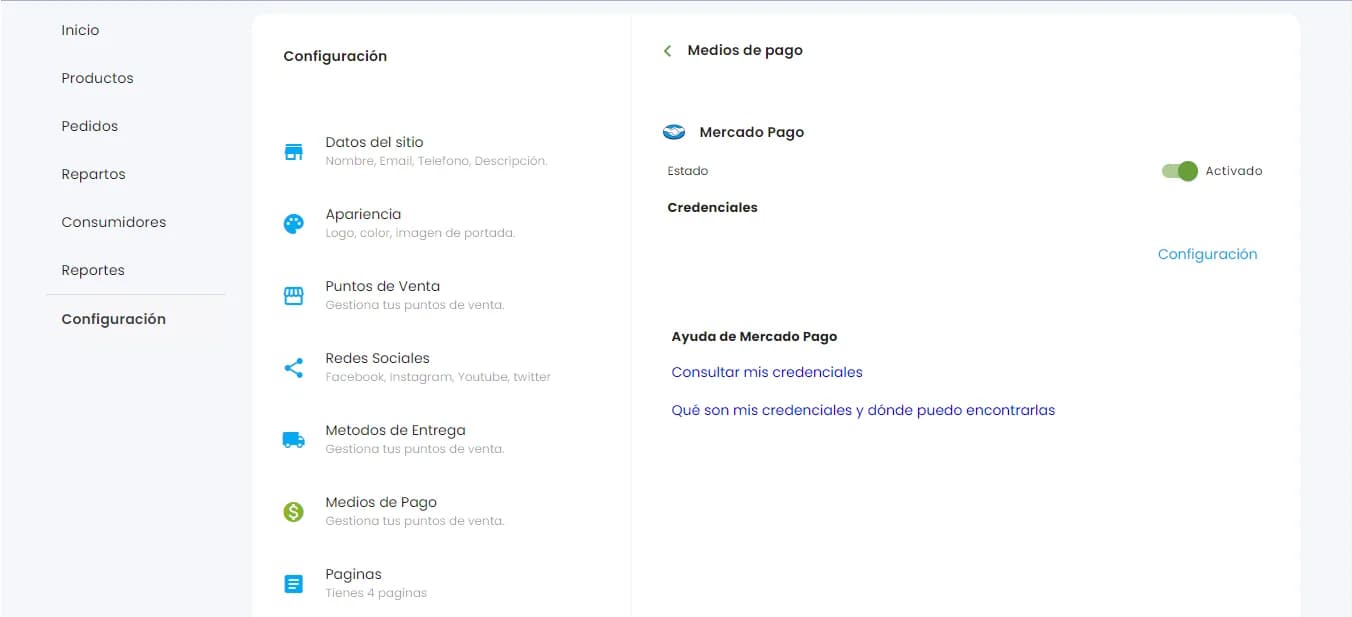
Once it's activated, click “Settings,” and a window will open where you can enter your credentials:
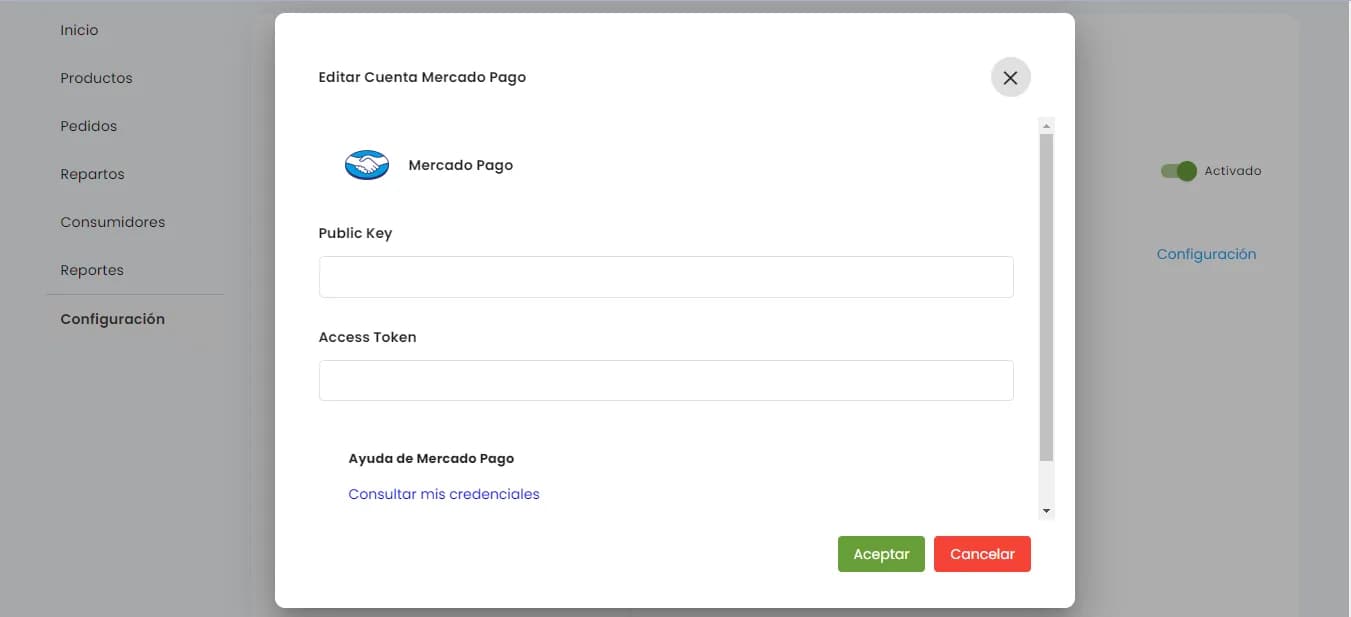
(Remember that you need to be logged in to the Mercado Pago account where you'll receive payments.)
There you'll get your Public Key and Access Token (save these values, since you'll need to copy them in the next step).
Click “Accept” and you're done: your Mercado Pago account is now linked to your Agrojusto store.
Your customers can now pay with credit and debit cards.