
How do I handle deliveries for my online store?
We know that a very important part of home delivery is creating a route sheet that arranges orders in the most efficient way. Deliveries from your online store are key to keeping consumers satisfied and helping you get organized…
November 10, 2021
We know that a very important part of home delivery is creating a route sheet that arranges orders in the most efficient way. Deliveries from your online store are key to keeping consumers satisfied and helping you stay better organized.
To create a delivery run, follow these simple steps
- Create your online food store for free on Agrojusto.
- Once inside, go to “Deliveries”
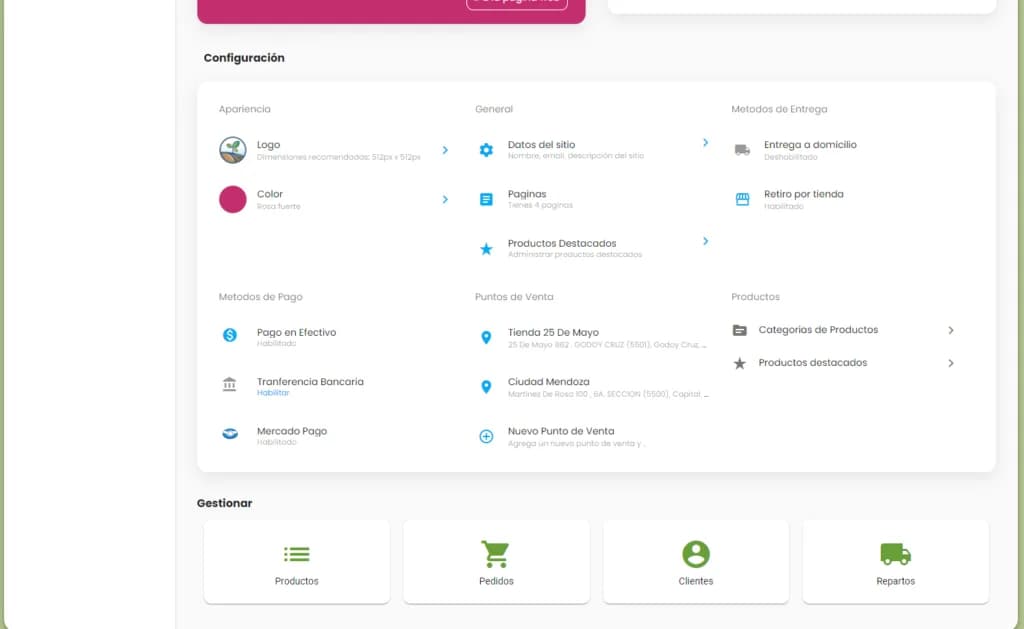
- Then select “Create Delivery”
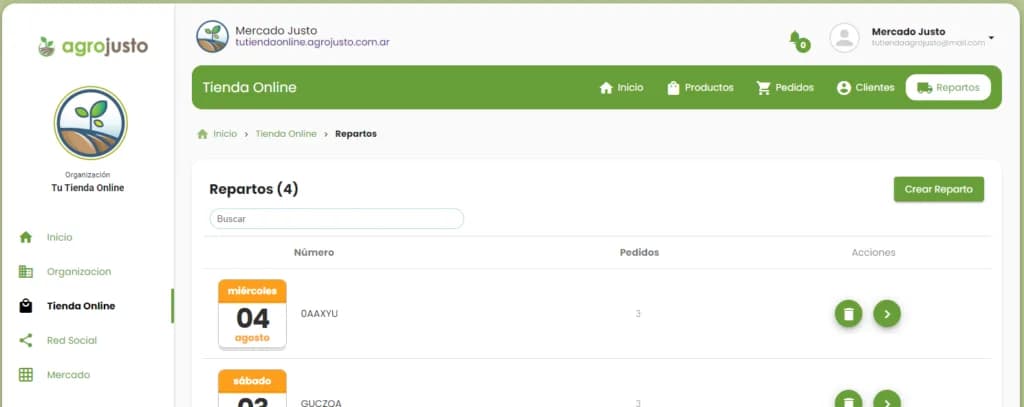
- First, select the delivery date. Then select the orders pending delivery (up to 25 orders). Once they're selected, click “Accept”
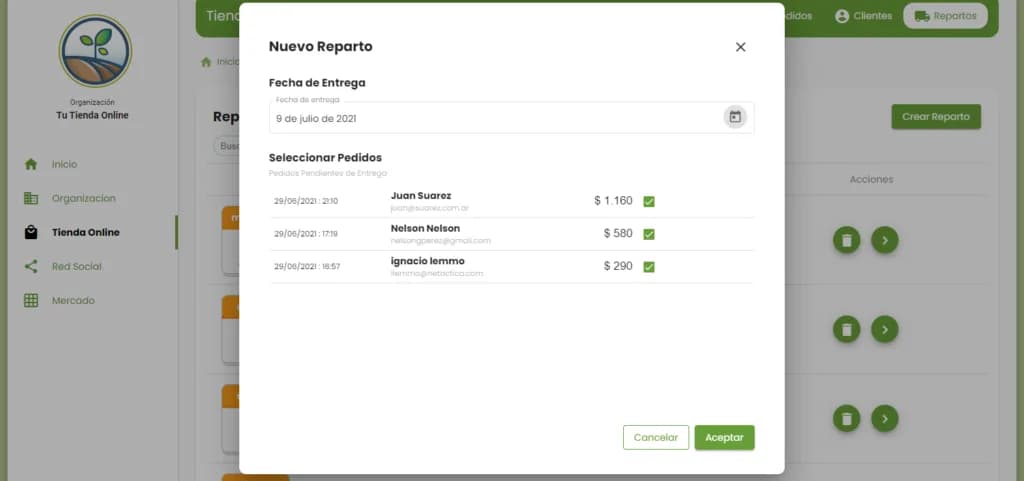
- Edit the “Delivery”
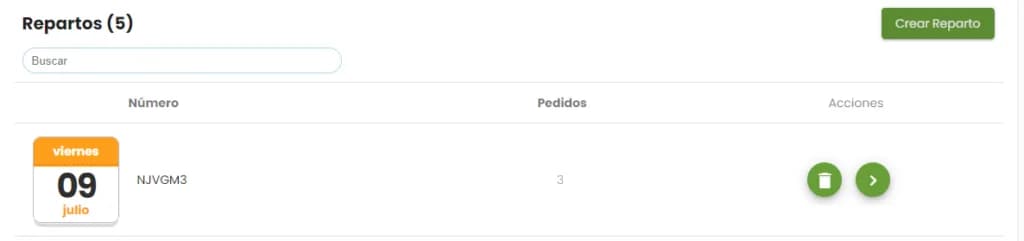
- When you edit each delivery run, you'll be able to add more orders, remove them, change the delivery status, and get in touch via WhatsApp.
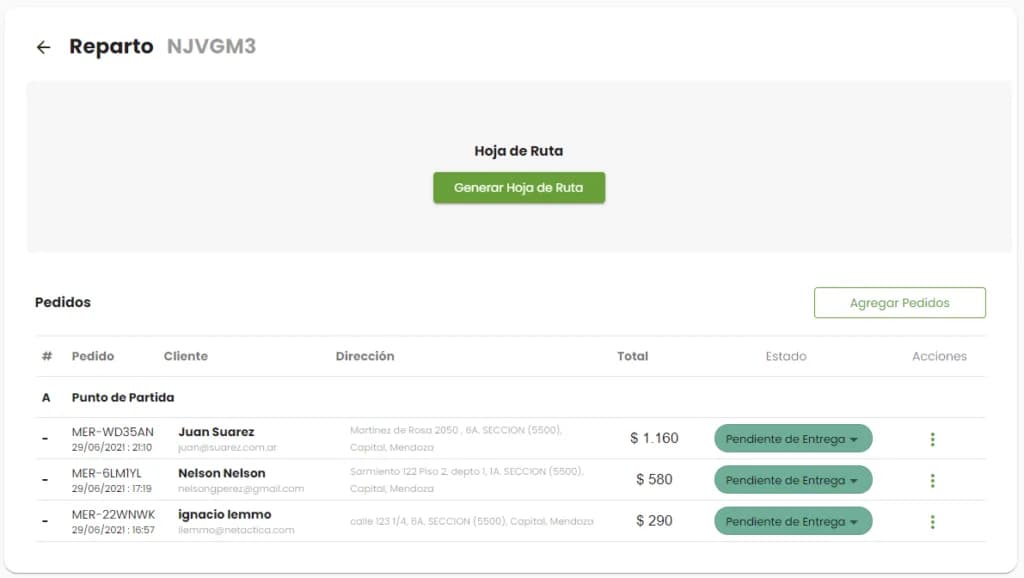
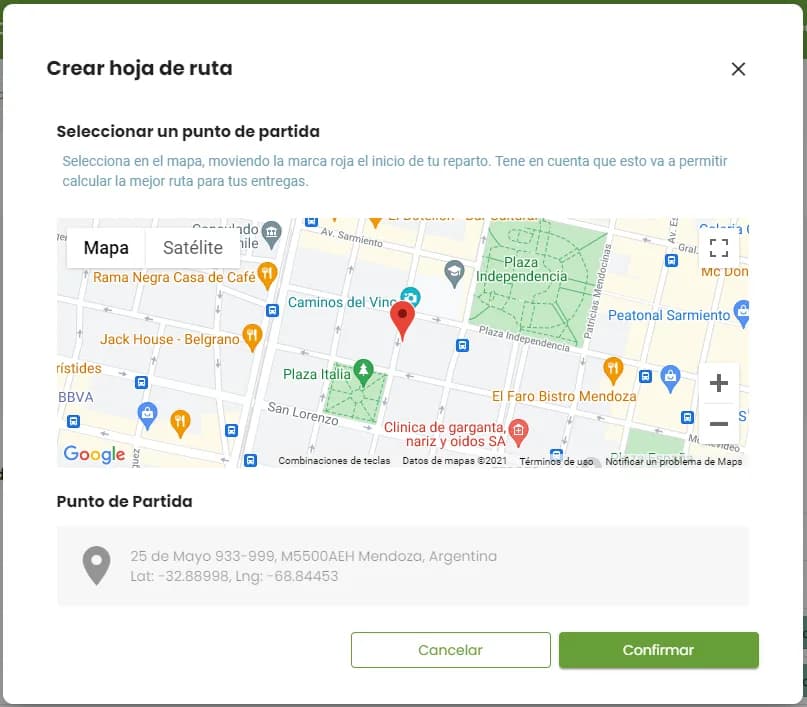
- Once you've made all the necessary edits, here comes the best part: generating the route sheet for your delivery run. Click “Generate Route Sheet”. During this process, you'll be asked for the starting point, which is very important since it's where your deliveries begin. All that's left is to click “Confirm”
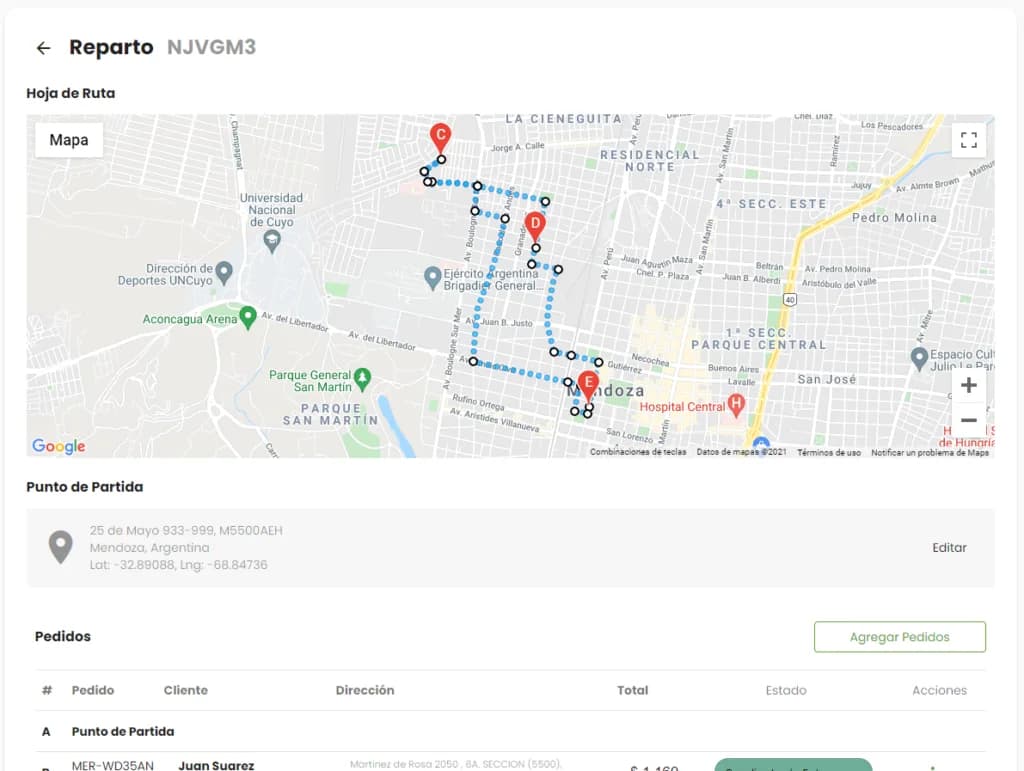
- And that's it: your route sheet for this delivery run is ready. You can create several delivery runs for the same date.
Set delivery days for your online store
Another great Agrojusto feature is that it lets you set delivery days, making order delivery easier and saving you time.
To set it up, go to Online Store and then to Settings.
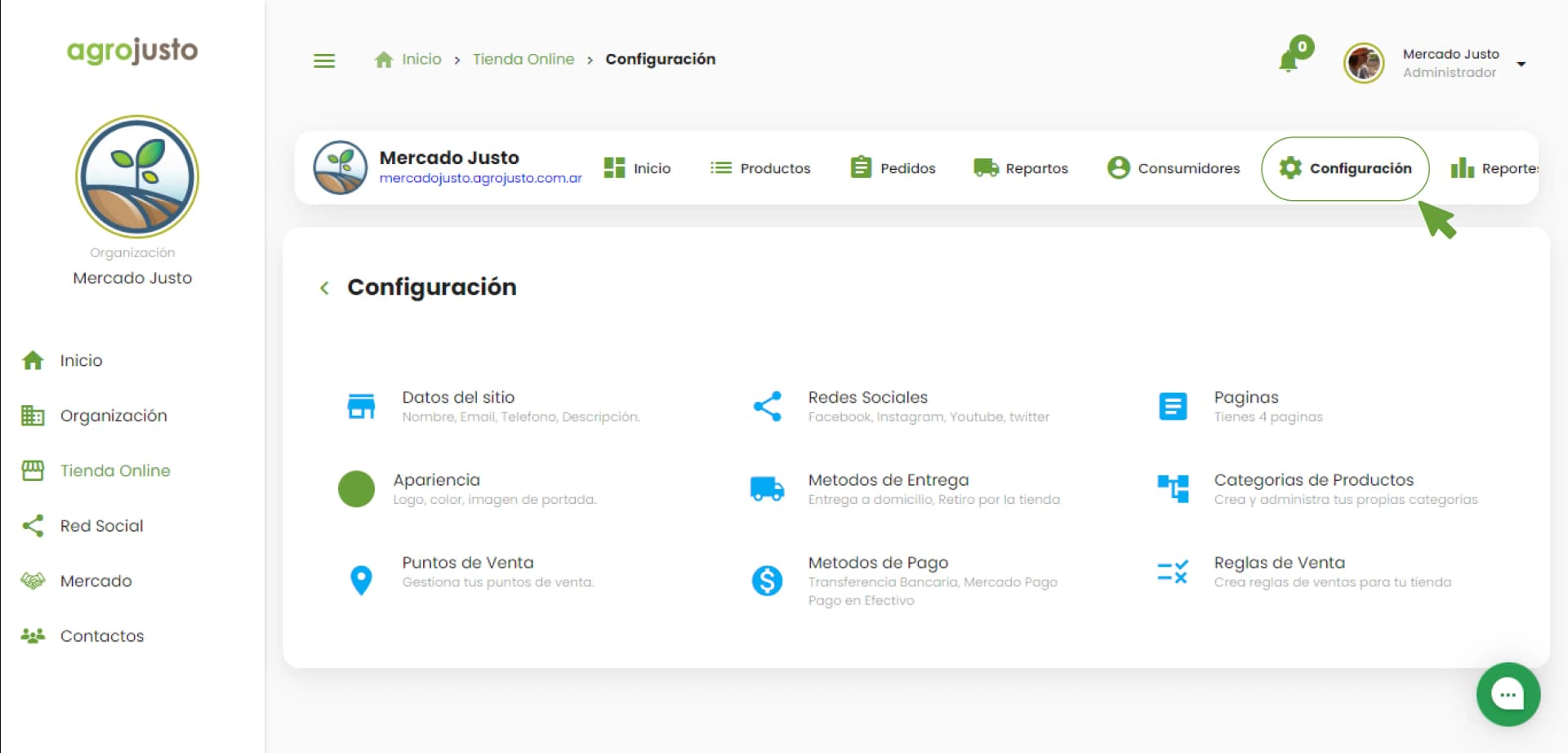
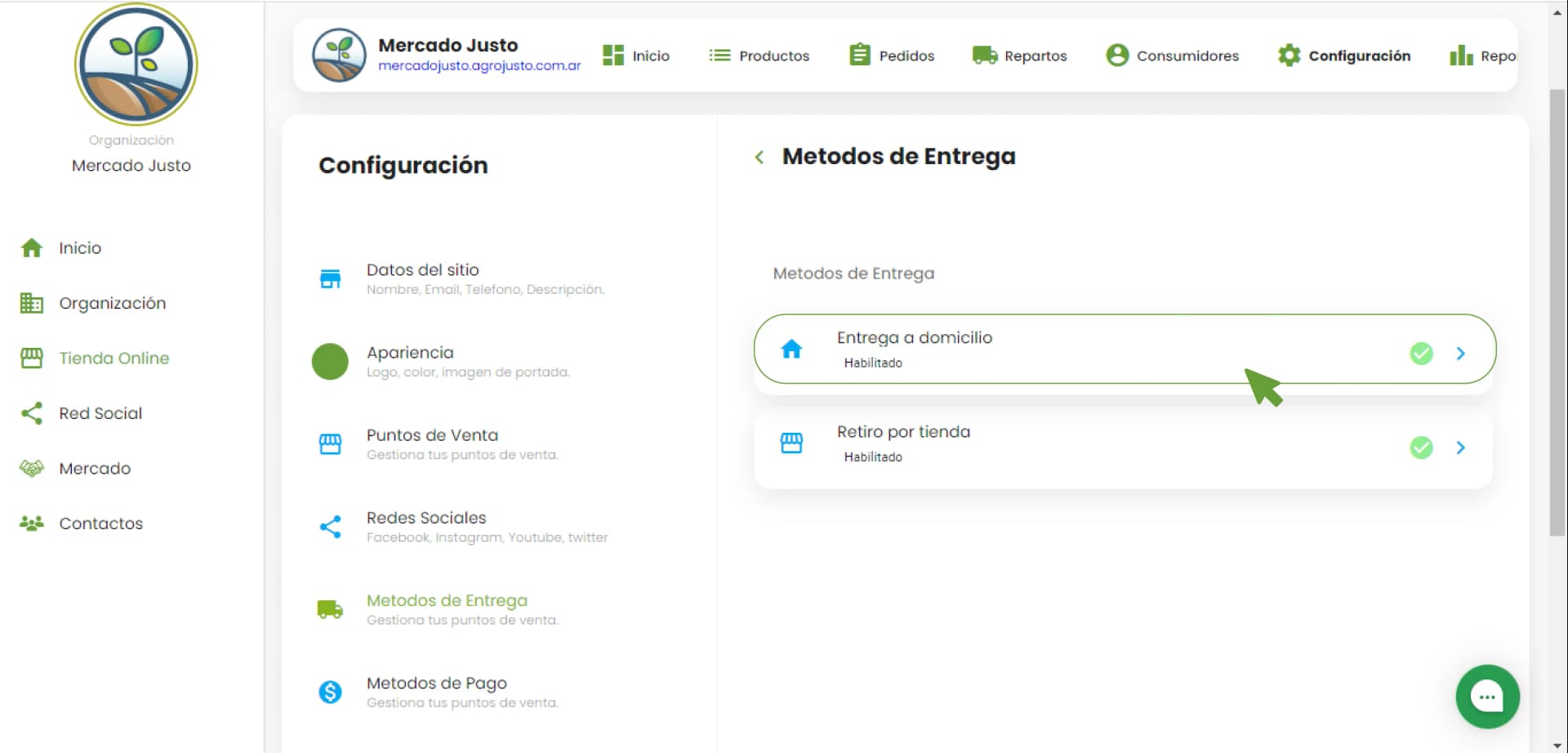
Then click Delivery methods. There you'll see 2 options: Home delivery and Store pickup.
Click Home delivery and then Shipping to specific zones with a delivery fee.
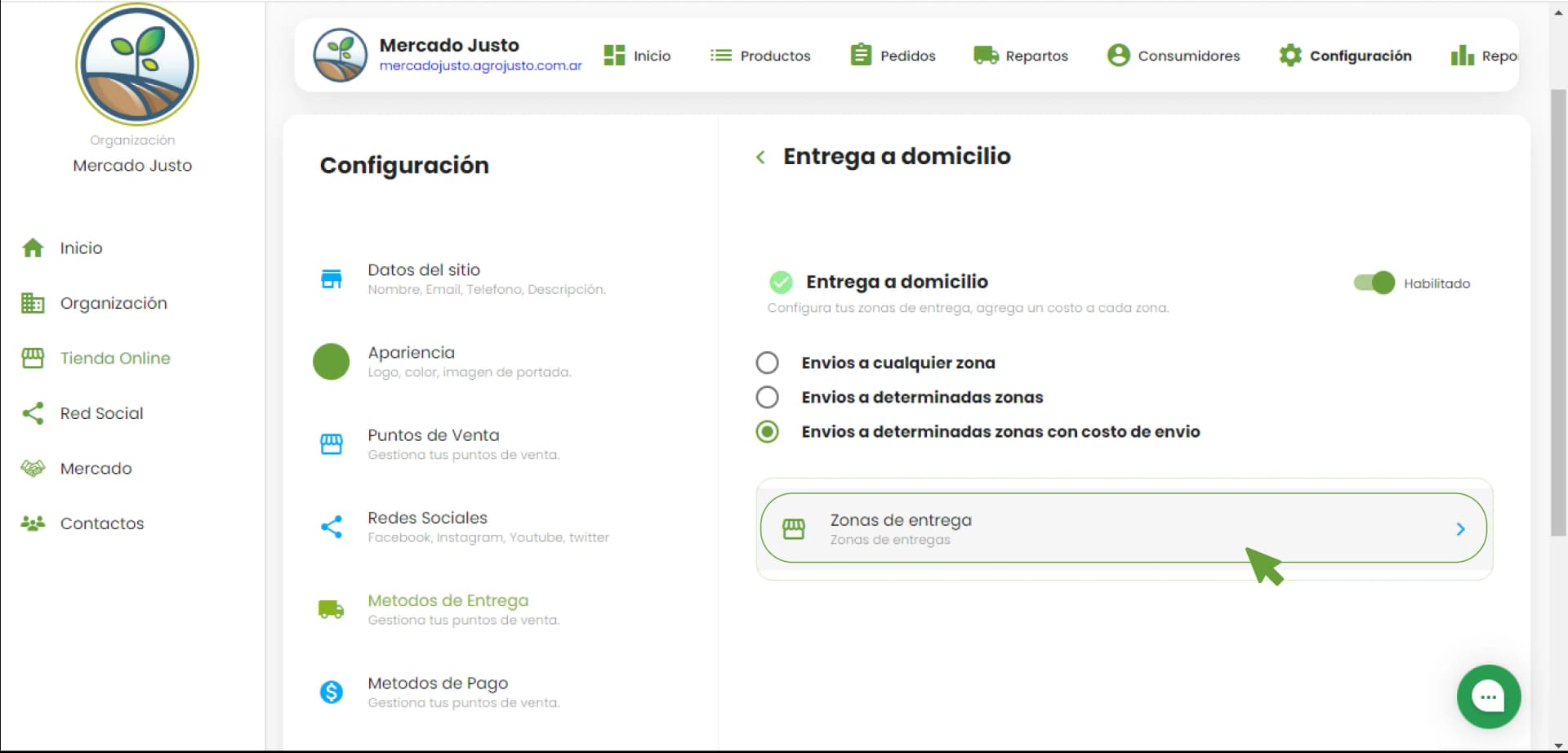
Go to Delivery zones. You can create, configure, and edit as many zones as you like.
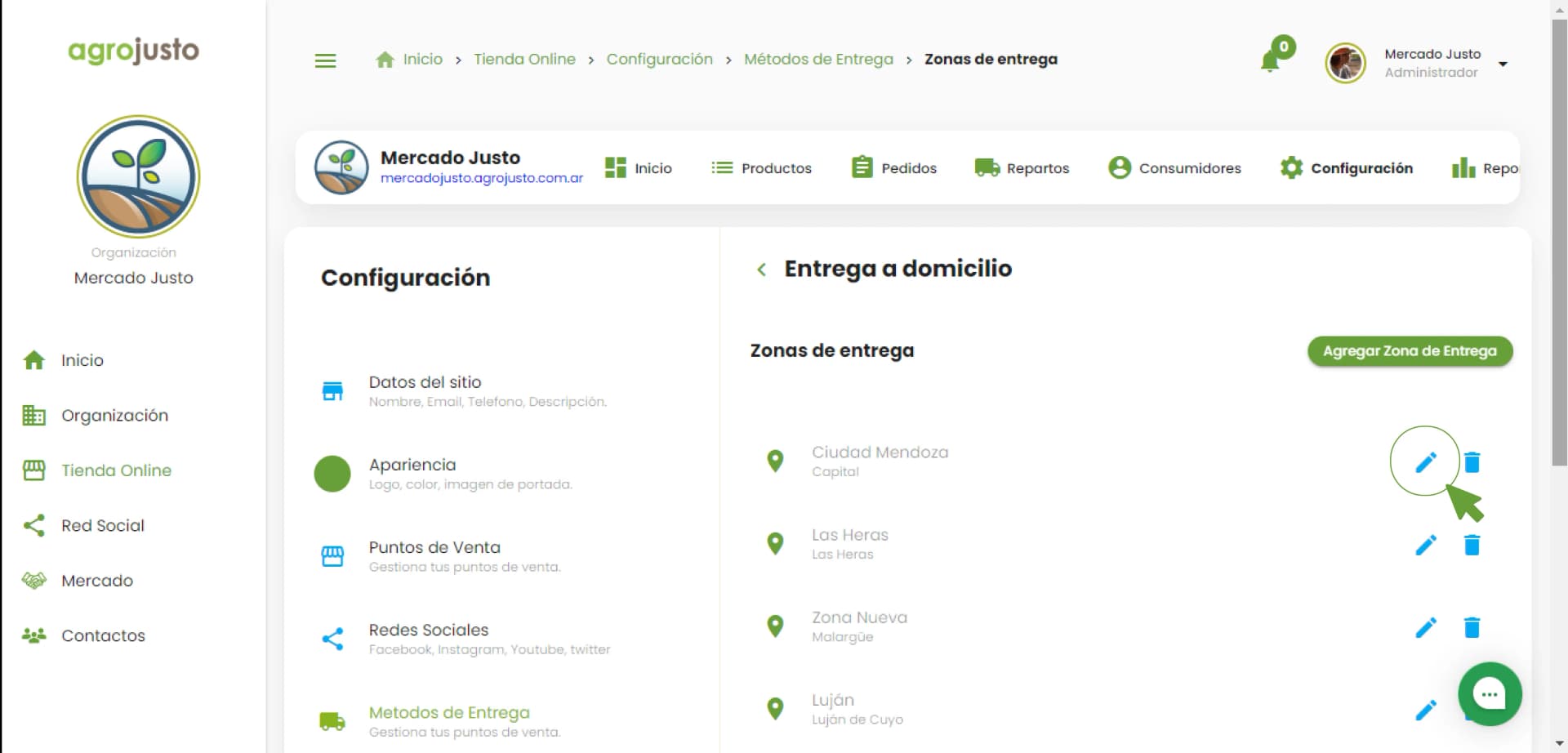
Enable delivery days with a single click. Choose the specific days for each zone on which it suits you to deliver orders.
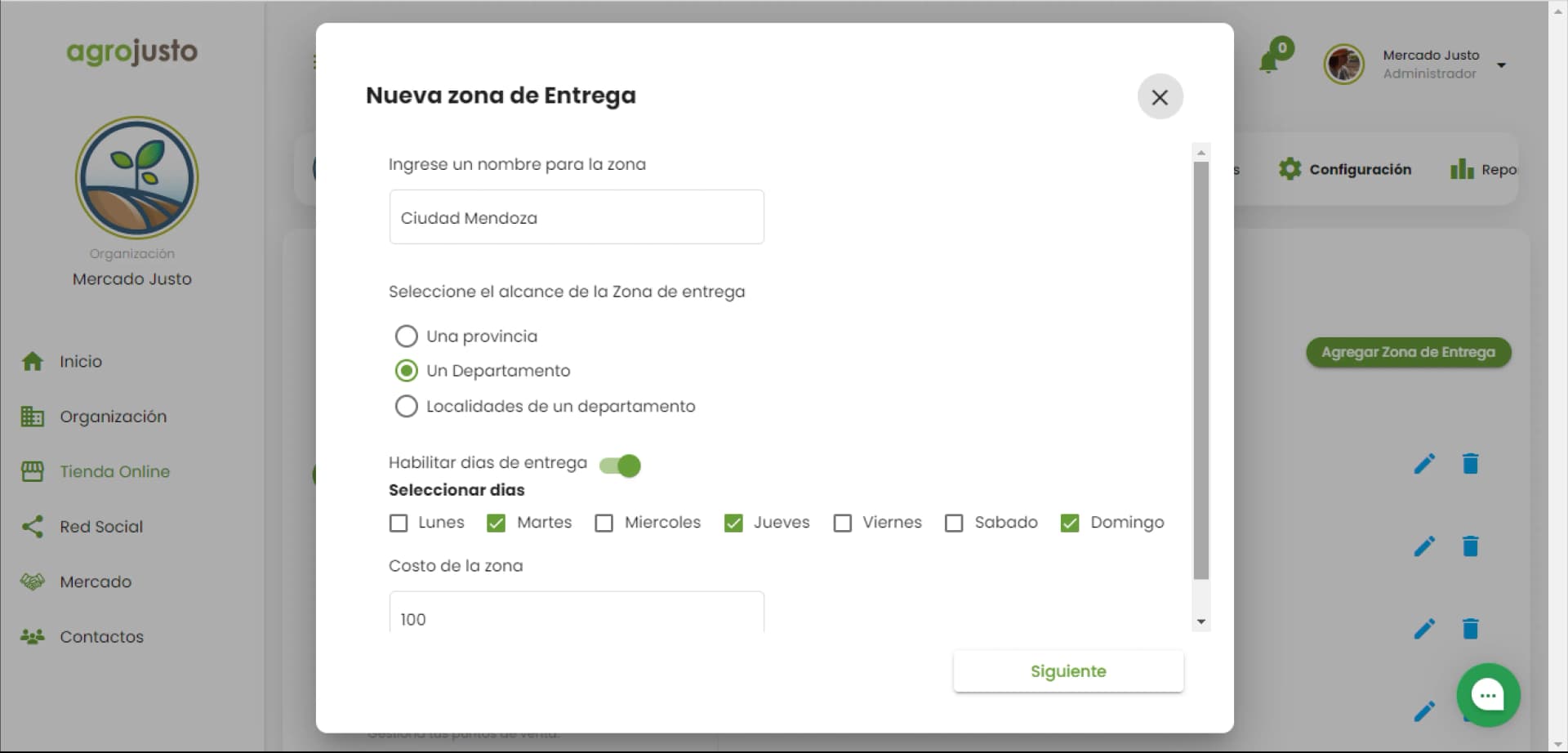
That's all! It doesn't get any simpler.
So you can see it clearly, we made a short video explaining the steps above.
How to set delivery days in my online store.
We hope all these features help you improve deliveries from your online store.
Last updated: July 11, 2022.