
How do I add more users to manage my store?
If you work with a team and need them to access your store's admin panel with their own username and password, you can give them permission to do so. In this tutorial we explain how to add one or more people as administrators of your…
November 10, 2021

If you work with a team and need them to access your store's admin panel with their own username and password, you can give them permission to do so. In this tutorial we explain how to add one or more people as administrators of your page and give them different editing permissions.
Let's set it up!
1. Go to your store's admin panel at https://my.agrojusto.com.ar/login and enter the email and password you previously set.
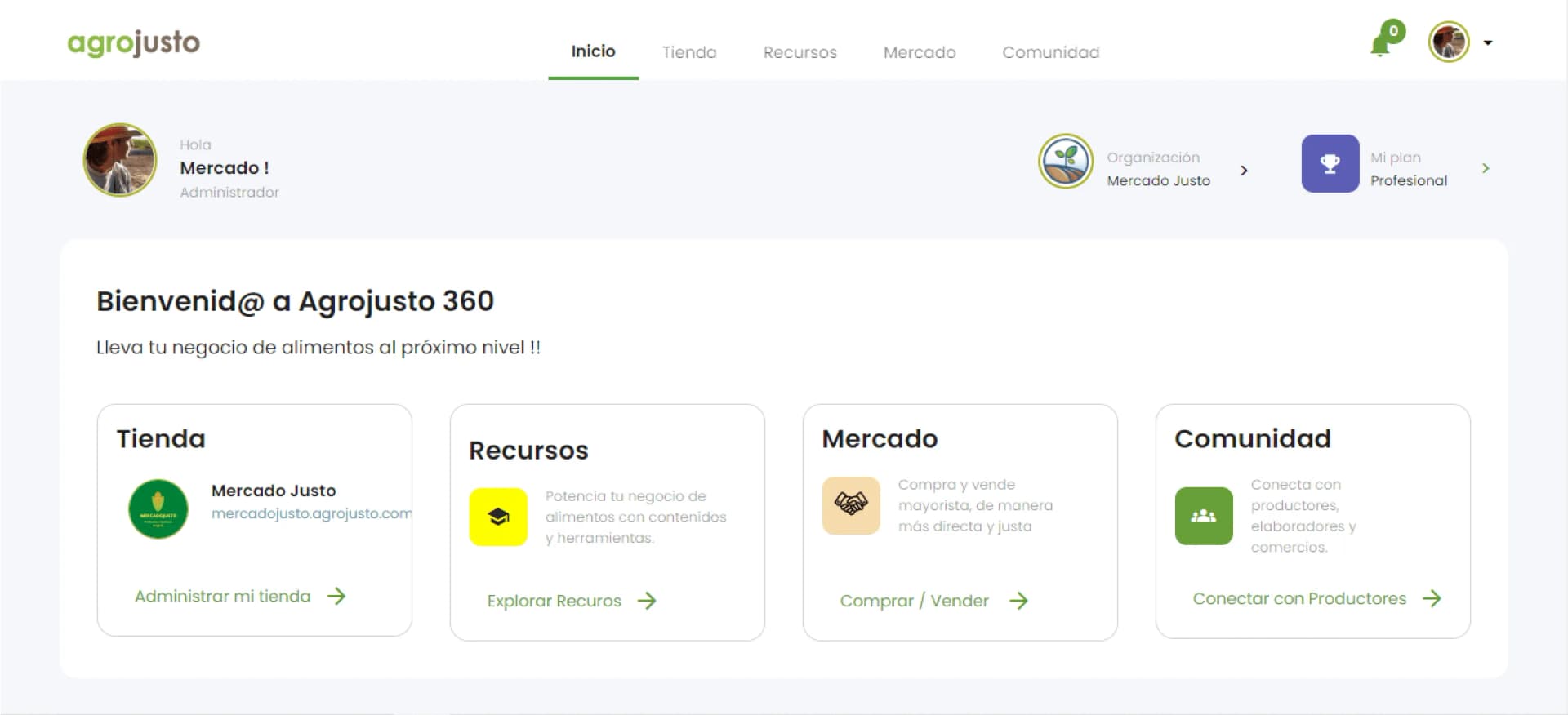
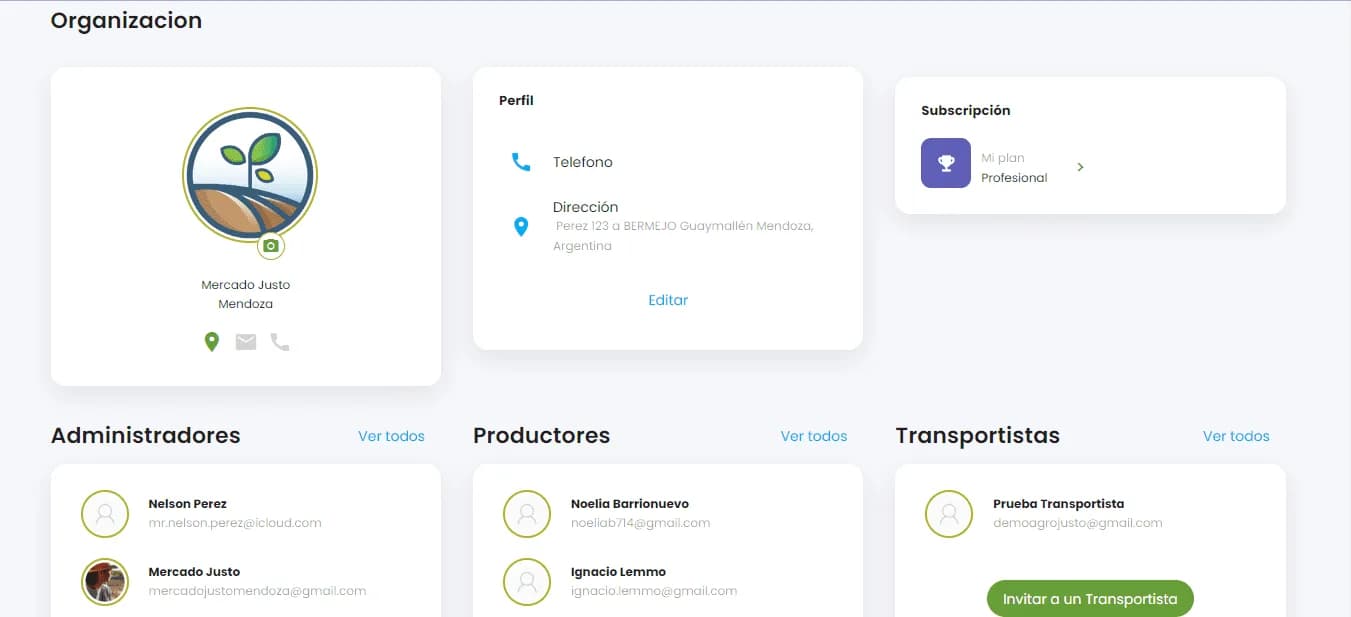
2. Go to Organization > Administrators in your store's admin panel.
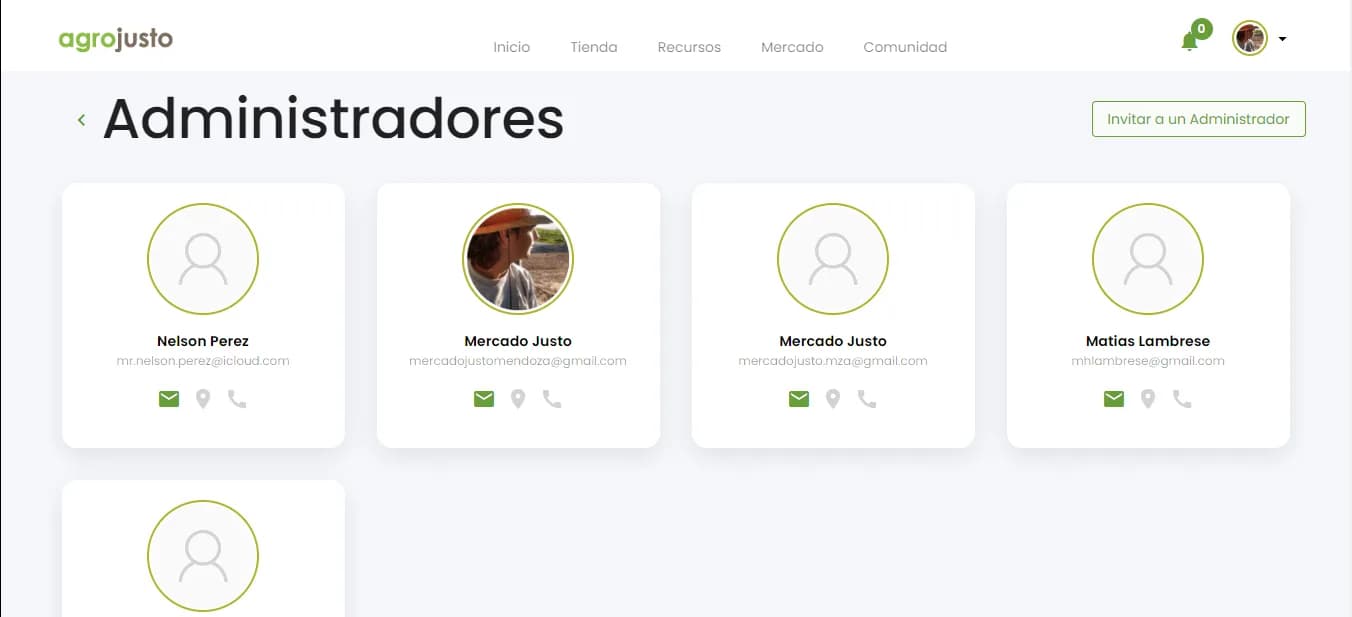
3. Click “Invite an Administrator” in the top right corner.
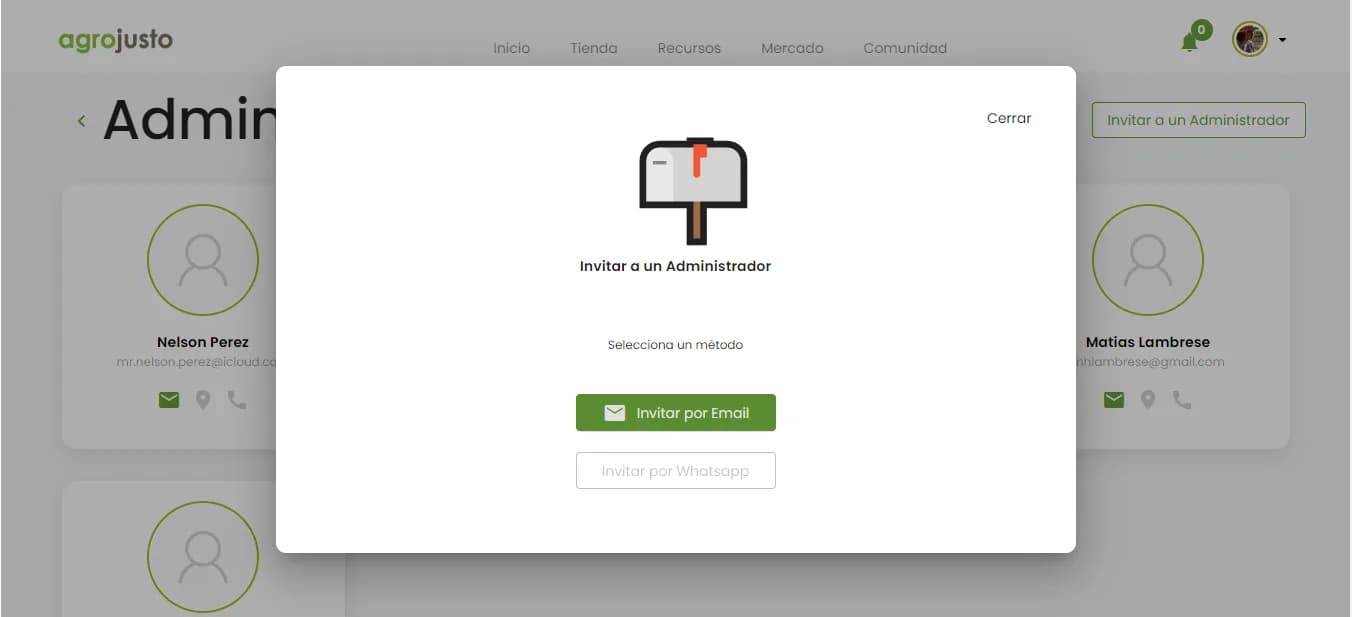
4. Click “Invite by Email” and then “Enter the administrator's email” of the person you want to add.
5. The new administrator will receive the invitation by email. Once they accept the invitation, they'll need to fill in “First name,” “Last name” and “Password.”
6. The new administrator will be able to log in and manage the store at https://my.agrojusto.com.ar/login